Showing posts with label Slimline Dies. Show all posts

Monday, September 28, 2026

Critter Country Paper Focused Card with Tina M

Hi there! Tina M here with you today, sharing a Fall-themed card using a mix of papers from the Critter Country Paper pack! This paper pack comes with so many cute papers, perfect for all sorts of Fall cards!

Sunny Studio Stamps: Critter Country Paper Focused Card by Tina Magnusson (featuring Build-A-Greetings Holidays, Icing Rectangle Frame Dies, Pathway Home, Rounded Rectangle Mat Dies)

For my A2-size card, I started off by trimming the burgundy plaid patterned paper from the Critter Country Paper pack to 4,25 x 5,50 inches and adhered it to the card base. I then die cut out the beautiful fall scene paper using the second largest of the Rounded Rectangle Mat Dies and adhered that to the burgundy paper.

Next, I stamped the squirrels, cart, pumpkins, and leaves from the Pathway Home Stamp set on alcohol ink-friendly card stock using Memento Tuxedo black ink and colored them with my Copic Markers; see list below.

Copic colors used:
Squirrels: E08/09/97, YR21, N5, C0/1/2, R30
Pumpkins: YR04/07, Y17, YG03/17
Leaves: YR04/07, Y17, YG03/17
Cart: E21/23/25, N1/4/5

Sunny Studio Stamps: Critter Country Paper Focused Card by Tina Magnusson (featuring Build-A-Greetings Holidays, Icing Rectangle Frame Dies, Pathway Home, Rounded Rectangle Mat Dies)

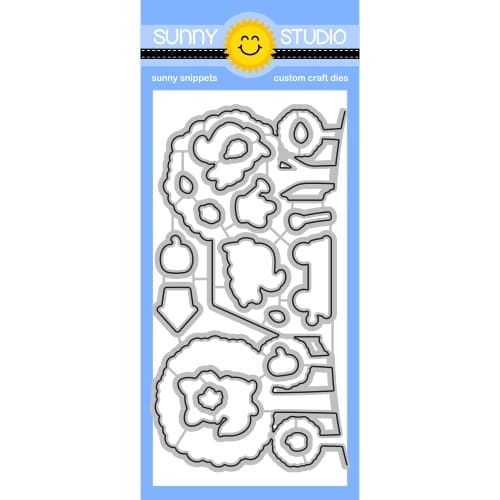
I then die-cut the images out using the coordinating Pathway Home Dies. I added foam dots to the back of all die-cut pieces for dimension and set them aside to create the frame and small scene!

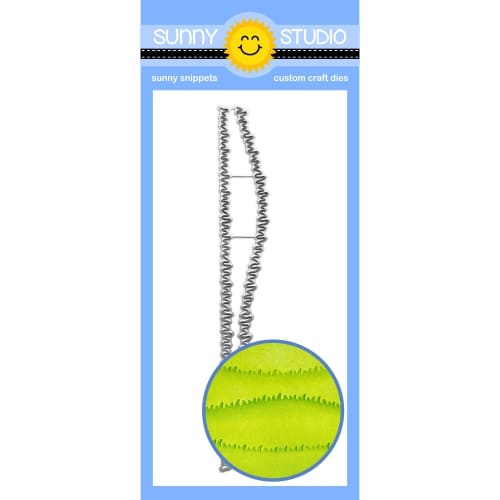
I die-cut the third-largest Icing Rectangle Frame Die from the orange polka-dot paper in the paper pack to use the frame piece only. I also die-cut two pieces from white cardstock to use as the inside pieces. I ink-blended one of them with blue ink and the other with green ink for sky and grass. For the green piece, I used the grass border die from the Slimline Nature Borders Die set to create a little piece of grass, which I adhered to the bottom of the sky piece!

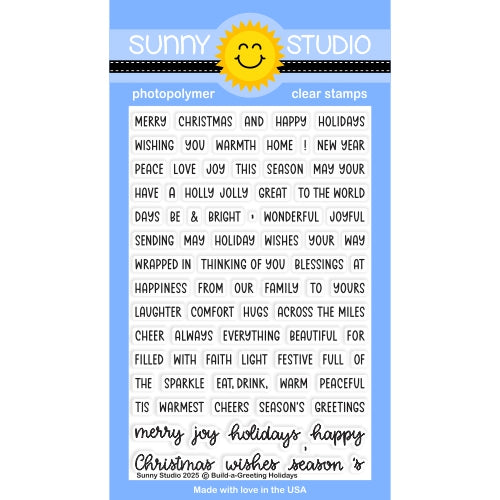
I adhered the little frame/scene piece to the card and stamped the “Thinking of you” words from the Build-A-Greeting Holidays Stamps set at the bottom of the panel using black ink. Lastly, I added the squirrels, pumpkins, cart, and leaves!

Thanks for stopping by! Wishing you a happy and colorful day!

Sunny Studio Supplies Used:

Critter Country Paper
Shop at:
Sunny Studio
Pathway Home Stamps
Pathway Home Stamps
Shop at:
Sunny Studio
Pathway Home Dies
Pathway Home Dies
Shop at:
Sunny Studio
Slimline Nature Borders
Shop at:
Sunny Studio
Build-a-Greeting Holidays
Shop at:
Sunny Studio
Icing Rectangle Frame Dies
Shop at:
Sunny Studio
Rounded Rectangle Mat Dies
Shop at:
Sunny Studio

Friday, September 25, 2026

Fall Friends Card with Janneke

Hello crafty friends, Janneke here. Today I’m sharing this autumn card. 

Sunny Studio Stamps: Fall Friends Card by Janneke Peters (featuring Icing Rectangle Frame Dies, Fall Scenes, Background Basics, Slimline Nature Border Dies)

I started this card by die-cutting the Icing Rectangle Frame twice: once from a gold glitter cardstock, using the frame, and once from white cardstock, using the inside panel as the base for my stamped background.

I stamped the Fall Scenes stamp onto the white panel and masked off the areas I wanted to keep separate. From scrap paper, I die-cut the clouds and grass from the Slimline Nature Borders die set and used them as stencils to ink-blend the clouds and grass onto the background, creating a landscape.

Sunny Studio Stamps: Fall Friends Card by Janneke Peters (featuring Icing Rectangle Frame Dies, Fall Scenes, Background Basics, Slimline Nature Border Dies)

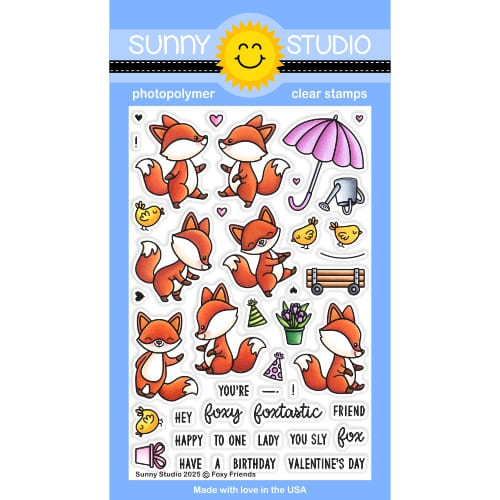
To complete the fall scene, I stamped the cart, rake, and leaves together with the little fox from the Fall Friends stamp set. I also stamped an extra fox from the Foxy Friends stamp set. I coloured all the images with my Ohuhu Markers and added a few little highlights with a white gel pen to make everything pop.

For the card base, I used brown cardstock. To add a little more depth I stamped a checked pattern onto the cardstock using dark brown ink and the Background Basis stamp set. I absolutely love this stamp set because it makes it so easy to create your own patterned paper!

Finally, I layered all the elements onto the brown card base, and my cozy autumn scene was complete.

Card done, ready to send joy! Thanks for joining me, and see you next week.

Sunny Studio Supplies Used:

Fall Friends Stamps
Fall Friends Stamps
Shop at:
Sunny Studio
Fall Friends Dies
Fall Friends Dies
Shop at:
Sunny Studio
Background Basics Stamps
Shop at:
Sunny Studio
Slimline Nature Borders
Shop at:
Sunny Studio
Fall Scenes Stamps
Fall Scenes Stamps
Shop at:
Sunny Studio
Fall Scenes Dies
Fall Scenes Dies
Shop at:
Sunny Studio
Foxy Friends Stamps
Foxy Friends Stamps
Shop at:
Sunny Studio
Foxy Friends Dies
Foxy Friends Dies
Shop at:
Sunny Studio
Icing Rectangle Frame Dies
Shop at:
Sunny Studio

Thursday, August 27, 2026

Sneak Peek: Introducing Nativity Scene Builder Craft Dies

Hello, and welcome to day 4 of our Holiday Sneak Peek Week!  All this week, I am sharing cards showcasing our newest collection, which will be available for purchase tomorrow!

Card No. 1: I've been wanting a versatile Nativity die set for years. I own a couple of different sets that you cut out in one pass, but I was longing for something with more flexibility to create a variety of scenes, and with that, our newest Nativity Scene Builder Dies were born!

For my first card using the set, I started by die-cutting small circles from masking material, which I positioned randomly across the center to give the look of bokeh with the out-of-focus lights of Bethlehem in the background. To achieve this look, I inked a bit, then moved the dots and inked some more using Scattered Straw, Wild Honey, Salty Ocean, Prize Ribbon, Chipped Sapphire, and Black Soot Distress inks. I then added the stable and layered it with the Mini Grass Border Dies, which I ran through my machine twice to line up and achieve the dip in the center I was after. I then arranged Mary, Joseph, the baby Jesus in the manger and the adoring animals around them. For my sentiment, I split up the sentiment in two parts using our Inside Greetings Christmas Stamps and stamped the first portion in black ink onto a Brilliant Banner 4 Dies and then the second half, heat-embossing it with White Detail Embossing Powder onto the black cardstock.

Sunny Studio Stamps Joseph, Mary, & Baby Jesus in Stable Bokeh Christmas Card using Nativity Scene Builder Cutting Craft Dies

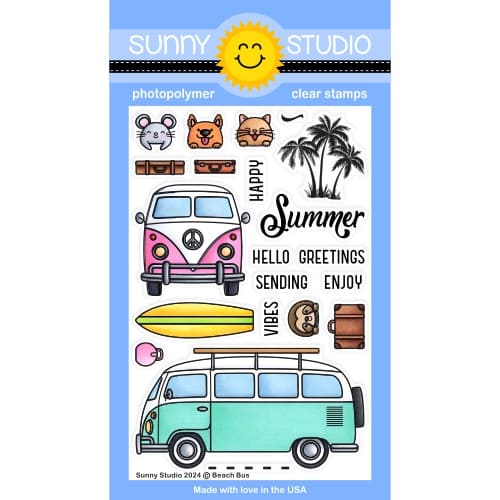
Card No. 2: For my next card showcasing the Nativity Scene Builder Dies, I started by inking my sky with Scattered Straw, Kitsch Flamingo, Salty Ocean, Prize Ribbon, and Chipped Sapphire with Black Soot Distress Ink in the far corners. I then stamped the palm trees on each side from our Beach Bus Stamps and layered in the village dies from the set, adding small rectangles of yellow inked cardstock to fill the window and door openings for the bottom layer. Next, I added stitched hills cut from navy cardstock using our Slimline Nature Border Dies, inked with Black Soot Distress Ink, and tucked in a couple of palm trees from the set. I flipped the shepherd to fill in as Joseph and put Mary on the back of the donkey. I added some highlights with my white gel pen to make them stand out against the dark background, but then felt the white was too stark and walked it back by coloring over them with a dark grey Copic marker. Lastly, I heat-embossed a greeting from those same Inside Greetings Christmas Stamps.

Sunny Studio Stamps Joseph & Mary on a Donkey Bethlehem Christmas Card using Nativity Scene Builder Metal Cutting Craft Dies

Card No. 3: Next up, I have a slimline Christmas card featuring the Nativity Scene Builder Dies. I started with an unexpected color scheme for Christmas and inked up my 8" x 4" slimline panel with a blend of Picked Raspberry, Seedless Preserves, Wilted Violet, and a tiny bit of Villainous Potion Distress Inks. I kept the spot where I wanted my shining star to be much lighter to give a glowing appearance. I then stamped some tree branches along the top edge using the fir tree sprigs from the Classy Christmas Stamps and Christmas Trimmings Stamps, using Versafine Onyx Black Ink. I added a simple stitched hillside with the Slimline Nature Border Dies and tucked the building from the Nativity Scene Builder dies to form Bethlehem in the distance. Lastly, when I was certain the background and border along the top were fully dry, I heat-embossed a sentiment from the Inside Greetings Christmas Stamps.

Sunny Studio Stamps Wise Men in Bethlehem Slimline DIY Christmas Card using Nativity Scene Builder Metal Cutting Craft Dies

Card No. 4: For this card, using the Nativity Scene Builder Dies, I switched up my color palette a bit, selecting warm tones. For this vertically oriented card, I wanted to have the stable scene in the foreground with Bethlehem behind it, like it's up in the hills. To do this, I started by inking the sky with Lumberjack Plaid, Candied Apple, and scattered straw in the center (mostly hidden by the buildings). For my hills, cut using the Slimline Nature Border Dies, I inked them up using Tea Dye Distress Ink and then inked the star and the area glowing behind Jesus with Scattered Straw ink. Initially I had just the one hill, but I felt like the buildings were standing a little too tall and stark against the red, so I added in the hills behind them to look like they are in a bit of a valley. I wasn't left with very many places to squeeze my greeting, so I repositioned my elements so they would fit around the greeting from the Inside Greetings Christmas Stamps set and be framed by the stable. I was happy with how the scene came together, and I think this could be reimagined with a variety of different color schemes.

Sunny Studio Stamps Stable & Bethlehem Religious Holiday Christmas Card using Nativity Scene Builder Metal Cutting Craft Dies

Card No. 5: I couldn't create a card with the new Nativity Scene Builder Dies without taking our Sunburst Embossing Folder out for a spin. I found a digital nativity scene that provided the inspiration I needed for my background, and I've walked you through the steps of how I recreated that background below. I was really pleased that it turned out the way I was envisioning!  To complete my card, I cut a stitched hill using the border die from our Slimline Nature Border Dies and added a heat-embossed sentiment from the Inside Greetings Christmas Stamps.

Sunny Studio Stamps Sunburst Hearts Warmed By Jesus DIY Christmas Card using Nativity Scene Builder Metal Cutting Craft Dies

The create my sunburst background I started with a piece of 5.5" x 5.5" 120 pound white cardstock. I first inked up the raised surface of one side of my embossing folder using the brayer with the Colorbox blue pigment ink from my stash. In hindsight, the Versafine Clair Paradise or Bluebell inks would also work well for this. You need to use a pigment ink that can stick well to the plastic surface without beading up like dye ink would. Even though I don't need a full square piece of cardstock on my final card, I thought it would give me more options for rotating, if I messed up one corner. In the end, I felt all the corners were usable, but now it also has the added bonus of 1/3 being leftover to use on a future card.

After rolling the ink out on the surface of my embossing folder, I took a Q-tip with a bit of rubbing alcohol and carefully removed any portions of ink that accidentally got onto the recessed portions of the folder. I then laid my white cardstock on the un-inked side of the embossing folder and carefully closed the inked "lid" down onto my paper and held it tight so it wouldn't shift before running it through my die-cutting machine. When I removed the panel, there were some areas that didn't ink up as well as I would have liked to I zapped it with my heat gun and then filled in the lighter spots with a coordinating Copic Marker in the same color.

Next, I inked up the entire outside edges with a medium to light blend of Prize Ribbon Distress Ink, followed by Chipped Sapphire and Black Soot on the most outside corners. While I never used Distress Ink on the centers, I still wanted to lighten the raised rays that had been inked in my first step with the pigment ink, so I smooshed some of my Hero Arts Unicorn Pigment Ink onto my glass mat and then rubbed it around the center and into the rays using my finger. I decided I would have more control that way, and it would be easier to wash my finger later than sacrifice one of my precious brushes to become filled with pigment ink that was tinted with blue.

Sunny Studio Stamps Sunray & Starburst 6x6 Embossed Background created with Sunburst Embossing Folder & ink for Nativity Card

Card No. 6: For my last card today using the Nativity Scene Builder Dies, I switched gears and this time went a bit lighter and airier for my scene, cutting the pieces from white cardstock. For my background, I blended Salty Ocean, Shaded Lilac, and Spun Sugar Distress Inks before adding a grassy border cut from white cardstock, using the Mini Grass Border Dies (running them through twice to span the distance), and inking the bottom with a blend of Bundled Sage and Twisted Citron Distress inks. I splattered the background with water before adding stars with a white gel pen and scattering small die-cut stars across the sky using the mini dies from the Nativity set. Lastly, I stamped the "O Holy Night" in black ink using the Holy Night Stamps.

Sunny Studio Stamps Pastel Slimline Holiday Religious Christmas Card using Nativity Scene Builder Metal Cutting Craft Dies

That wraps up today's sneak peek. I'm so happy you joined me today! I'd love to give a $40 gift code to one lucky winner, who will be randomly selected from comments on this blog post and on our Facebook and Instagram posts. Our daily contests will run through Saturday, August 29th, at Midnight PST, with winners announced here on our blog on Sunday, August 30th.

Here's a closer look at our new Nativity Scene Builder Dies, which will be available for purchase starting tomorrow.

Sunny Studio Stamps Nativity Scene Builder Metal Cutting Craft Dies for Holiday Christmas Cards

Other Supplies Used:

Christmas Trimmings Stamps
Shop at:
Sunny Studio
Christmas Trimmings Dies
Shop at:
Sunny Studio
Brilliant Banner 4 Dies
Shop at:
Sunny Studio
Slimline Nature Borders
Shop at:
Sunny Studio
Classy Christmas Stamps
Shop at:
Sunny Studio
Classy Christmas Dies
Shop at:
Sunny Studio
Holy Night Stamps
Holy Night Stamps
Shop at:
Sunny Studio
Holy Night Dies
Holy Night Dies
Shop at:
Sunny Studio
Inside Greetings-Christmas
Shop at:
Sunny Studio
Mini Grass Border Dies
Shop at:
Sunny Studio
Beach Bus Stamps
Beach Bus Stamps
Shop at:
Sunny Studio
Beach Bus Dies
Beach Bus Dies
Shop at:
Sunny Studio
Sunburst Embossing
Sunburst Embossing
Shop at:
Sunny Studio
Spellbinders Masking Sheets
Shop at:
Sunny Studio
We R Nesting Circles Dies
Shop at:
Sunny Studio
Hero Arts White Detail
Shop at:
Sunny Studio
VersaMark Watermark Ink
Shop at:
Sunny Studio
Versafine Onyx Black Ink
Shop at:
Sunny Studio
PinkFresh Studio Blending Brushes
Shop at:
Sunny Studio

Monday, August 17, 2026

Party Pets Card with Tina M

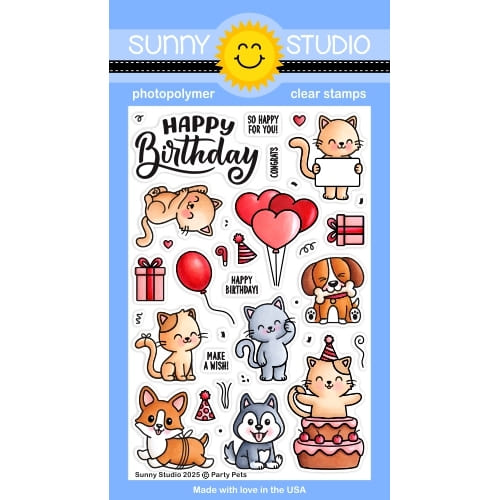
Hi there! Tina M here! Today I have a cute birthday card for you using the Party Pets Stamps!

Sunny Studio Stamps: Party Pets & Spring Scenes Birthday Card by Tina Magnusson

I started off by trimming a piece of yellow polka dot paper from the Polka-Dot Parade Paper pack to 4,25 x 5,5 inches to cover my A2 size card base. I then trimmed a piece of white card stock to 3,75 x 5 inches, and ink blended it using turquoise/blue for a background sky. Next, I trimmed a slightly larger black panel to go behind my ink blended panel and adhered them to the card base, using double sided tape. I stamped the Happy Birthday from the Party Pets Stamps set with Memento Tuxedo black ink in the upper left corner of the sky panel.

Next, on to the stamping and masking of the dogs, balloons and gift boxes from the Party Pets Stamps set, the white picket fence, grass and trees from the Spring Scenes Stamps set and some clouds from the Majestic Meadow Stamps set. I stamped the images using Memento Tuxedo Black ink on alcohol ink friendly card stock. For the masking I used Spellbinders Masking Sheets. I then colored the images with Copic markers, see list below:

Grass: YG03/17/67
Trees: YG03/17/67, E21/23
White picket fence: N1
Corgi: E08/09/97, YR21, R30/32
Husky: W0/1, N3/4/5/6, R30/32
Beagle: N4/5, E51/53/55/57
Balloons, gifts: YR04, Y15/17, BG10/11/13, RV52/55, V000
Clouds: BG10

Sunny Studio Stamps: Party Pets & Spring Scenes Birthday Card by Tina Magnusson

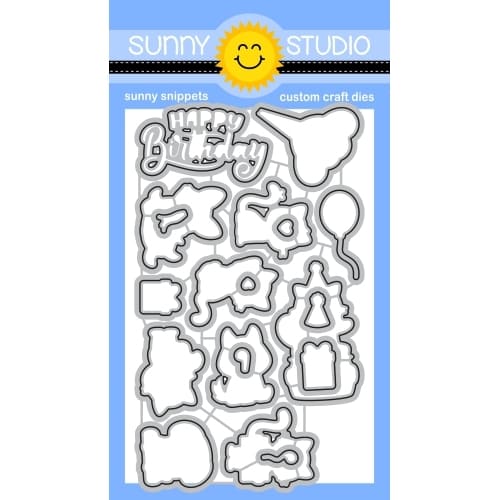
As I merged several images into one, I then fussy cut them out leaving a narrow white border as if I had used coordinating dies. There are coordinating dies available to the Party Pets set if you want to stamp each image separately and then arrange the scene! I used the coordinating dies to cut out the trees, fence and clouds using the Spring Scenes Dies and the Majestic Meadow Dies.

I trimmed the fence and the grass piece to fit the width of my ink blended panel and adhered it to the bottom using double sided tape. I Copic colored a 2,25 x 5 inches piece of alcohol ink friendly card stock to create a hill and used the Slimline Nature Borders die set to cut it out and tucked it in behind the fence and added the trees!

I added foam dots to the back of the dogs and gift boxes for dimension and adhered them to the scene. Lastly I used liquid glue and adhered the clouds!

Thank you for stopping by! Wishing you a happy and colorful day!

Sunny Studio Supplies Used:

Polka-dot Parade 6x6 Paper
Shop at:
Sunny Studio
Spring Scenes Stamps
Shop at:
Sunny Studio
Spring Scenes Dies
Spring Scenes Dies
Shop at:
Sunny Studio
Slimline Nature Borders
Shop at:
Sunny Studio
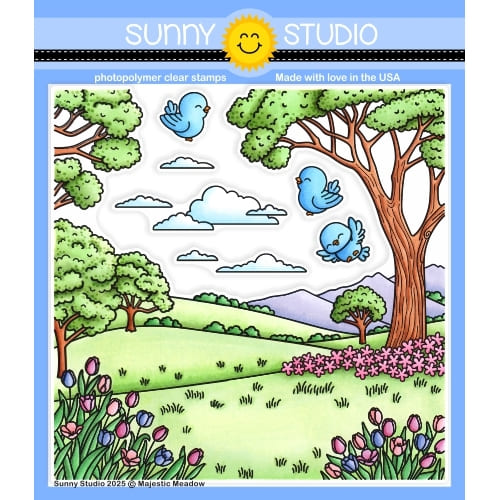
Majestic Meadow Stamps
Shop at:
Sunny Studio
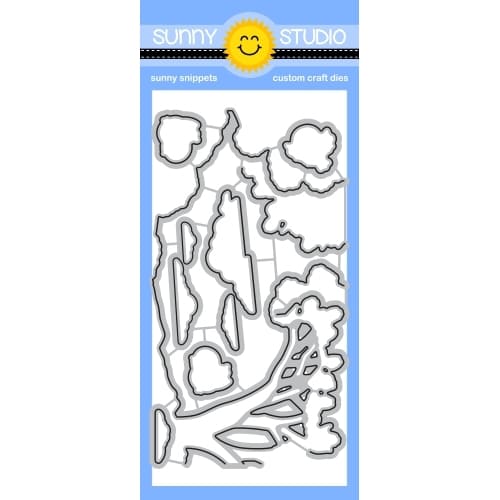
Majestic Meadow Dies
Shop at:
Sunny Studio
Party Pets Stamps
Party Pets Stamps
Shop at:
Sunny Studio
Party Pets Dies
Party Pets Dies
Shop at:
Sunny Studio